How to Change App Name in MT Manager?
Have you ever wanted to rename an app on your Android phone to something more personal, unique, or easier to recognize? Normally, Android doesn’t allow you to change app names through its settings, but with the help of MT Manager, you can easily make it happen.
MT Manager is a powerful Android tool mainly used for file management and APK modification. Among its many functions, one very useful feature is the ability to change the app name. This process involves editing the APK file directly, making changes in the app’s internal resources, and then recompiling it. The best part is that you don’t even need a PC or root access to do everything can be done directly from your mobile device.
In this guide, we’ll explore what it means to change an app name in MT Manager, its features, uses, and a step-by-step explanation of how it works. We’ll also answer some common questions, share a disclaimer, and finally wrap up with a conclusion.
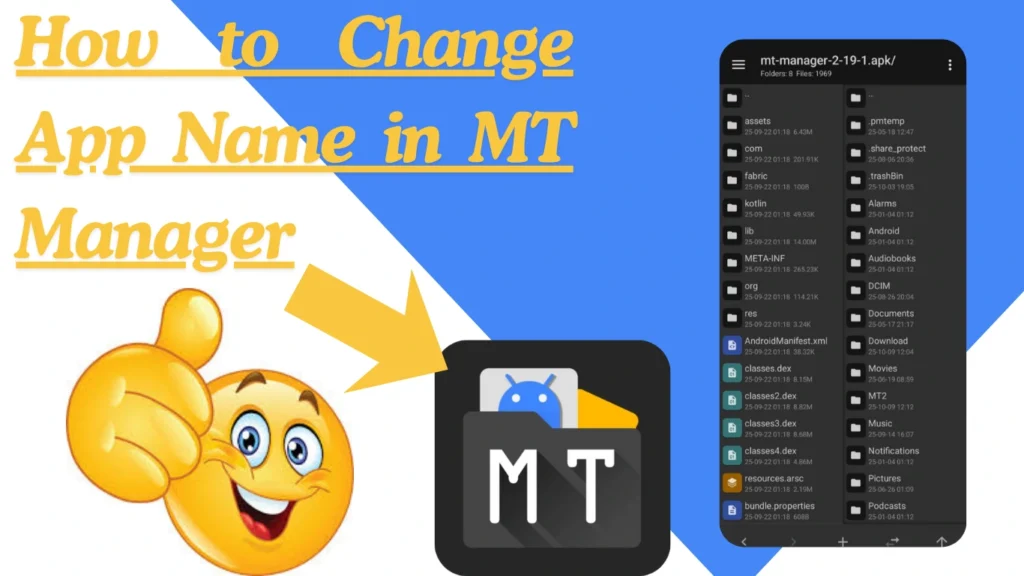
What is Changing App Name in MT Manager?
Changing an app name in MT Manager means modifying the APK file so that the app shows a different title when installed on your phone. The app name you see under its icon on the home screen or in the app drawer is not hardcoded in the system; it comes from inside the app’s resource files.
Features of Changing App Name in MT Manager
Simple Customization
Rename any app easily without advanced coding knowledge.
Personal Branding
Great for developers or modders who want their name or brand on the app.
Launcher Display Change
The new name shows up on your home screen, app drawer, and shortcuts.
Multi-Version Handling
Helps in managing multiple versions of the same app by giving them unique titles.
Convenience
No need for a computer or root access, everything is done on your phone.
Lightweight Process
Changing just the app name doesn’t affect the app’s performance or size.
Wide Compatibility
Works on most Android apps that use strings.xml or AndroidManifest.xml for their names.
Uses of Changing App Name in MT Manager
Personalization
Make your phone feel unique by giving apps creative names.
Cloned Apps
If you have two or more versions of the same app, rename them for easy identification.
Project Branding
Developers and testers can add their own branding while working on modded APKs.
Organization
Keep your apps neatly labeled with short, clear names.
Testing Different Builds
Rename apps while experimenting with different versions during development or modding.
Fun Purpose
You can give funny or creative names to apps just to make your phone more enjoyable.
How to Change App Name in MT Manager
Open MT Manager
Install and launch MT Manager on your Android device.
Load the APK
Edit the App Name
Check AndroidManifest.xml
If the name is hardcoded in the manifest, open it and edit the android: label value.
Recompile the APK
After editing, recompile the APK using MT Manager.
Sign the APK
Use the built-in APK signer to sign your modified file.
Install and Test
FAQs about Changing App Name in MT Manager
Disclaimer
This guide is for educational and personal use only. Renaming apps is meant for customization and organization, not for republishing, piracy, or misleading users. Always respect intellectual property rights and modify apps responsibly.
Conclusion
Changing an app name in MT Manager is one of the easiest ways to customize your Android experience. Whether you want to personalize your apps, keep multiple versions organized, or test different builds, MT Manager gives you complete control over how your apps appear on your device.
The process is safe, doesn’t require root, and can be done directly from your phone. Just remember to recompile and sign the APK before installing it again. With a bit of practice, you can make your phone’s app drawer look exactly the way you want: clean, organized, and uniquely yours.