MT Manager APK iOS | Download Free 2025
Many people know that MT Manager is a popular Android app used to edit APK files, manage data, and even modify apps easily. It helps Android users to change text, icons, code, and resources directly from their phones.
In this article, we will explain in simple and clear language whether MT Manager works on iPhone or not, why it doesn’t, and what alternatives you can use safely on iOS.
What Is MT Manager?
MT Manager is an Android-based file manager and APK editing tool. It is designed mainly for people who want to customize or study apps.
Main features of MT Manager:
Can You Use MT Manager on iOS?
No, you cannot install or use MT Manager on an iPhone or iPad, as it is only compatible with the Android operating system.
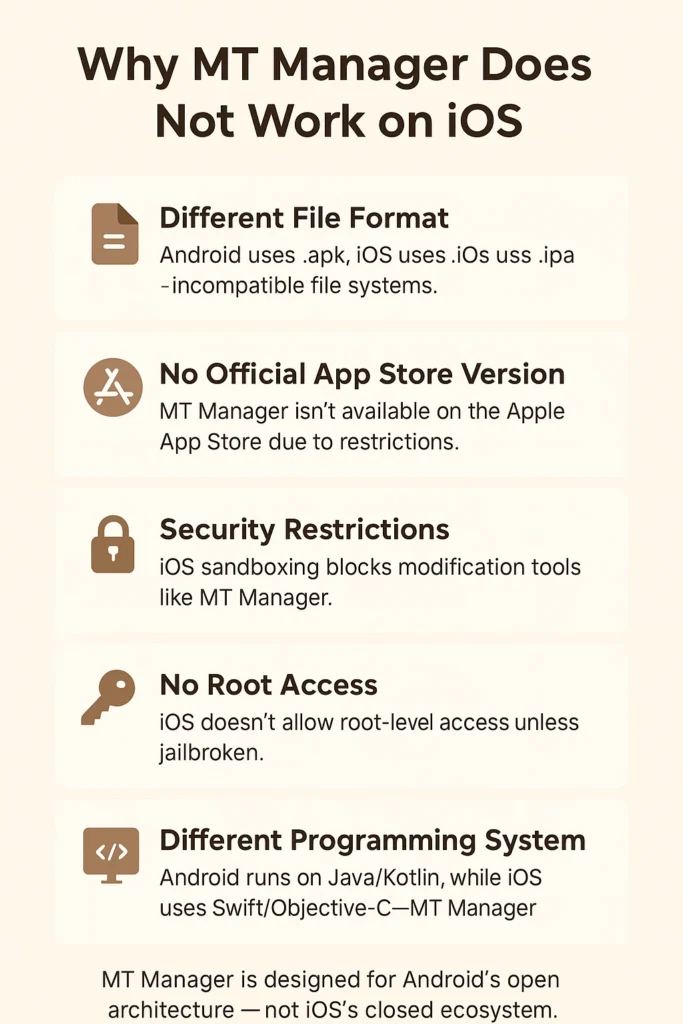
MT Manager runs on Android’s structure, which uses APK files. But iPhones use IPA files, and the system structure is totally different. Apple’s iOS does not allow apps to access or modify internal files like Android does.
Why MT Manager Does Not Work on iOS?
Let’s understand the main reasons in easy language:
Different File Format:
No official app store version
You will not find MT Manager on the App Store. Any website that claims to offer MT Manager for iPhone is almost certainly offering something unsafe.
Security Restrictions:
Apple keeps iOS very secure. It blocks apps from editing or viewing other apps’ internal data. MT Manager needs system-level access, which iOS never allows.
No Root Access:
MT Manager often requires root access to perform deep edits on Android. On iPhone, this is called unlock the mobile phone. But the phone is unsafe and can harm your device or void your warranty.
Different Programming System:
MT Manager is made using Android’s languages. iOS uses Swift and Objective-C. Because of this, the MT Manager app simply cannot run on iOS.
Apple App Store Rules:
Apple does not allow tools that modify other apps or system files. So MT Manager will never appear officially on the App Store.
Some People Say MT Manager Works on iOS – Is It True?
No, if you see websites or YouTube videos claiming “Download MT Manager for iOS” or “MT Manager iPhone free”, they are fake. These are scams or unsafe apps that may steal your data or install viruses.
You should never install such apps from unknown sources. Apple’s security system is strong, but if you install untrusted profiles, you may risk your privacy and data.
How to Manage iPhone Apps Safely?
If you want to modify iPhone apps safely without breaking Apple’s rules, follow these simple steps:
- Download the IPA file of the app from a legal source.
- Use your computer and open 3uTools or iMazing.
- Extract the IPA file to see its contents.
- Change simple things like icons, images, or texts (not code).
- Re-sign the app using AltStore or Sideloadly before reinstalling it on your iPhone.
This is a safe and legal way to customize iOS apps without using MT Manager.
Dangers of unlocked the phone for MT Manager-Type Tools
Some people think they can unlock their iPhone and then use tools like Filza to get MT Manager features. But this is not recommended. Here’s why:
FAQs
Disclaimer
This article is for educational purposes only. We do not promote unlock the phone, modding, or illegal editing of apps. Always follow Apple’s guidelines and use official software for your own safety and privacy.
Conclusion
MT Manager is one of the best tools for Android users to edit APKs and manage files. But for iPhone or iPad users, it cannot be used because iOS does not support APK files or allow system editing.
If you want to do similar tasks on iOS, you can try iMazing or 3uTools on your computer. They are safe, easy, and legal to use. Avoid any fake “MT Manager for iOS” apps or unlock methods; they can damage your phone or steal data.